

PPT Master Tutorial: How to Generate AI PPTs with Company Templates in One Click (with WorkBuddy Practice)

3 months ago
Many AI PPT tools have a problem: they look flashy, but when you actually use them, they fall short...
Enter a topic, and it churns out a dozen pages: titles are there, charts are there, the logic is barely acceptable.
But when you look closely: brand colors are wrong, fonts are wrong, layouts are wrong, the logo position is wrong, and your mood feels off...
In the end, you have a PPT, but it also leaves you with a pile of rework.
The Problem Isn't Generation, It's the Template
Many people using AI PPT for the first time pin all their hopes on generating from a single sentence.
For example, a wishful input:
Make me a 2026 AI Strategic Planning PPT!
But the topic is just the first layer of need; the real trouble is the second layer:
This PPT should look like it's from your company.
Requirements may include fixed brand colors, fixed fonts, fixed cover, fixed table of contents, fixed ending page, and even icon style, margins, and title position.
Most previous AI PPT tools simply match topic keywords to a template library.
It picks a passable template from a bunch of outdated ones, but it doesn't know what your company looks like.
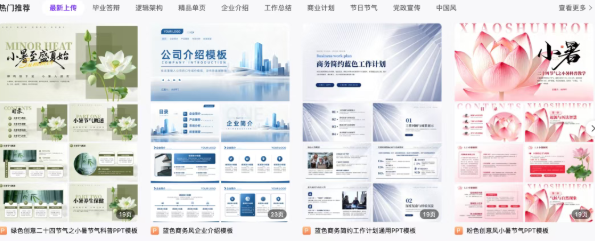
So no matter how fast it generates, you still have to edit page by page.
Change colors, change fonts, paste the logo, adjust layouts...
I Recently Came Across a PPT Skill Called PPT-master, and It's Really Impressive.
It's perfect to try in WorkBuddy.
Its core is turning text requirements into editable PPTX files—editable, which is crucial.
PPT-master takes a different path:
First, understand your content needs, then combine with a template, and finally export an editable PPT file.
More importantly, it supports registering company templates.
Three Steps to Get It Running
Step 1: Install PPT-master.
If you know how to use the terminal, refer to the official website https://github.com/hugohe3/ppt-master.git. It's just three commands:
git clone https://github.com/hugohe3/ppt-master.git
cd ppt-master
pip install -r requirements.txt
It will download locally and install dependencies.
If you're proficient with AI, you definitely know this trick: "Let AI do the work."
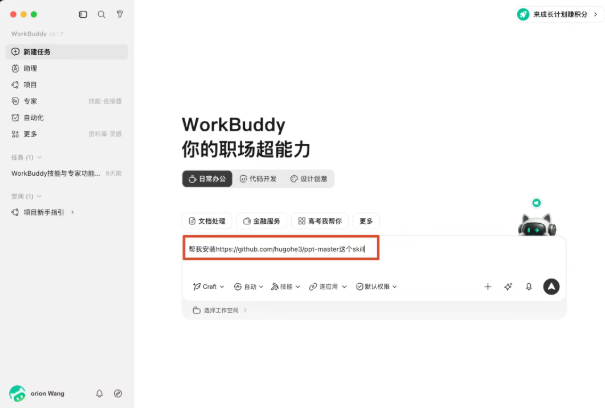
Spend some credits to get the dirty work done.
But it can be a bit heavy, not entirely its fault—network issues and large packages...
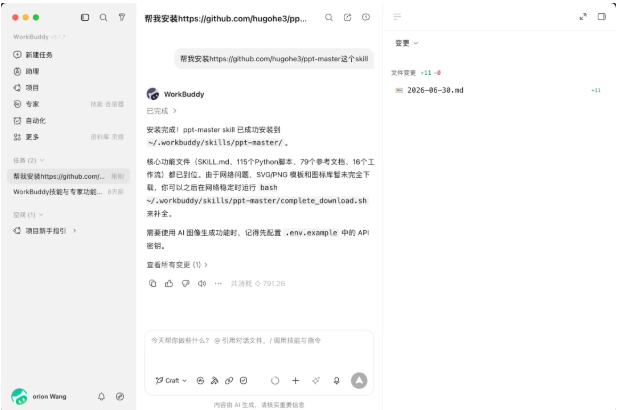
Step 2: Feed the Company Template.
This step is crucial.
Prepare a commonly used company PPT template, then in WorkBuddy, call the create-template workflow to register the template file into PPT-master's global template library.
You can say:
Use the create-template workflow to register my company's template file into the ppt-master global template library.
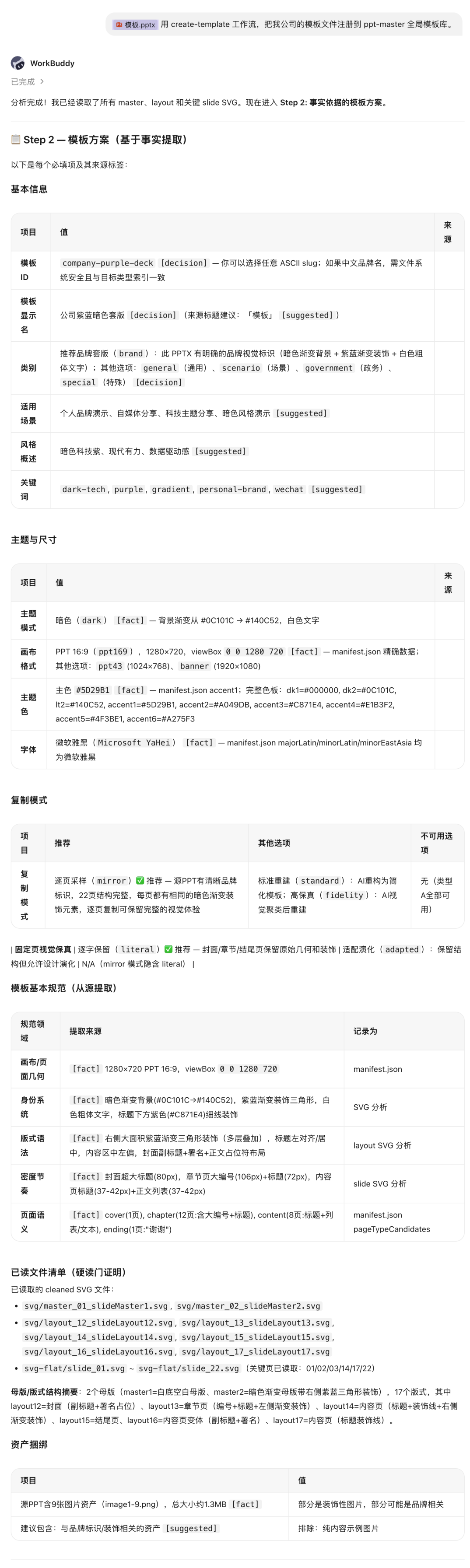
This is configure once, reuse many times.
Step 3: Generate PPT with One Sentence.
Once the template is registered, you can directly write requirements.
For example:
Generate a PPT using the company template, topic: 2026 AI Strategic Planning, audience: corporate executives, style: conclusion-first, including cover, table of contents, industry trends, competitive analysis, core strategy, roadmap, milestones, execution plan, risk contingency, and thank you page. @skill:ppt-master
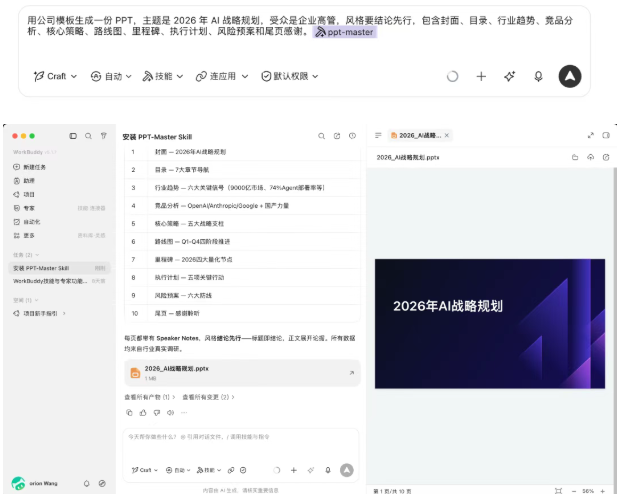
It's recommended to start with an existing company template to make a simple daily report PPT.
Keep the topic simple, like weekly review, training tutorial, sales proposal, etc.
After running, focus on three things:
- Does the template look right?
- Is the structure smooth?
- Is it easy to edit later?
If all are okay, then it can directly enter the workflow as a productivity component.
The key to AI PPT is never about turning one sentence into an imagined masterpiece.
What's truly useful is reducing those repetitive tasks that have no technical content but take half a day each time.
That's the AI value both employees and bosses need.
